Newsletter Subscribe
Enter your email address below and subscribe to our newsletter

Enter your email address below and subscribe to our newsletter
All voices matter
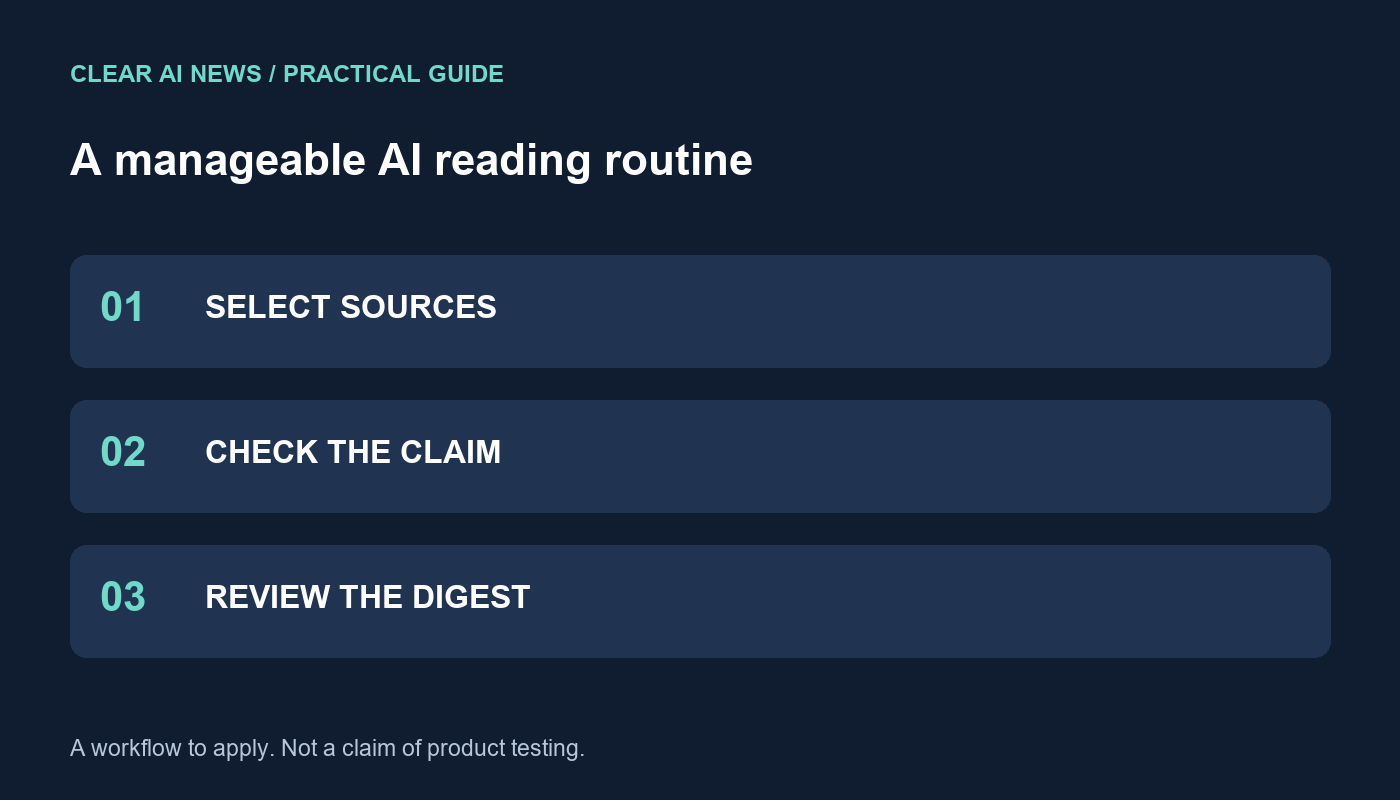
Create a focused AI reading list, track original sources and review missed stories without relying on unverified dashboards or time-saving claims.
A useful AI news routine starts with a question you need answered, not a promise to follow everything. You can build one with bookmarks, an RSS reader and a simple notes table. The workflow below is a reader-operated process; it does not require a Clear AI News assistant account, proprietary dashboard or paid integration.
Describe the decision in a sentence. A software team might need to know when a model they use changes its availability. A researcher might follow evaluation methods in a specific field. Someone learning AI may simply want to understand one useful development each week.
Write down exclusions too. A developer tracking document extraction might exclude image-generation launches unless they affect that project. This makes it easier to dismiss an interesting story without treating it as a missed obligation. Keep a separate occasional-reading list for topics outside your main purpose.
Include official release notes for products you actually use, relevant research sources and reporting that adds useful scrutiny. Label each source by its role. A company announcement establishes what the company says; it does not independently verify every performance claim in the announcement.
For research discovery, arXiv documents RSS and Atom feeds by subject area and supports combining categories. Use its feed instructions to select a relevant subject rather than importing every paper. If you prefer bookmarks, open the same source pages during a planned reading session. A feed reader is convenient, but it is not necessary for this method.
Create columns for the event, original URL, publication date, date checked, affected product or research topic, evidence status and your next action. Put multiple articles about the same announcement in one row. Five retellings of one press release are not five independent confirmations.
For example, a fictional row might say: “Document assistant changes upload limit; original release note saved; applies to one plan; verify our account before changing instructions.” That is more actionable than “Major AI breakthrough.” If the original source does not specify availability, record that uncertainty instead of filling it with a guess.
Read the headline to decide whether an item belongs in your queue. Before acting, open the underlying announcement, paper or documentation. Check the exact version and scope. A research demonstration, a limited preview and a feature available in your account are different states.
If you use an AI system to summarize material, provide the source text and ask it to distinguish reported results, limitations and unanswered questions. Open every cited reference that matters to your decision. A fluent summary can still omit a qualifying condition or combine details from different releases.
Reserve immediate attention for events with a concrete consequence, such as a documented removal of a feature your workflow depends on. Put interesting but nonurgent stories into a digest. Avoid treating a large funding amount or an impressive benchmark number as automatically urgent for your own work.
Use a simple rule: “Read now if this changes an action due before my next review; otherwise queue it.” If a reader supports filters, translate your rule into its documented settings. If it does not, sorting the notes table manually is enough. Do not grant a new integration access to private documents merely to organize public news.
After a week, inspect useful items, duplicates, irrelevant items and important developments discovered elsewhere. Ask which source or filter caused each miss. Add one source or adjust one exclusion at a time so you can see whether the change helps.
Measure your own reading time if time savings matter. Compare similar periods and note unusual news weeks. There is no universal percentage this workflow promises to save. Its practical completion test is that you can retrieve a relevant development, locate the primary evidence and explain what action—if any—it requires.
arXiv’s RSS and Atom instructions; Evaluating AI news; Checking product changes; Fact-checking and corrections.
Start by defining a specific decision or question you need to answer, such as tracking model availability changes. Document this focus in one sentence. Also, write down explicit exclusions to avoid distractions. This initial clarity ensures your workflow remains purposeful and manageable, preventing you from feeling obligated to follow irrelevant but interesting developments.
No, this is a reader-operated process requiring no proprietary accounts or paid integrations. You can build it using simple, accessible tools like bookmarks, an RSS reader, and a notes table. The method emphasizes using your existing resources to curate and manage information effectively without relying on a dedicated AI news dashboard.
Build a short, curated list of sources relevant to your defined goal. Include official product release notes, research repositories like arXiv, and critical reporting. Label each source by its role to understand its bias. Use RSS feeds from arXiv by subject area to filter content, ensuring you only follow developments pertinent to your specific research or project needs.
Maintain a simple table with one row per unique development. Columns should include the event, URL, publication date, affected product, evidence status, and your next action. Consolidate multiple articles about the same event into a single row. This prevents redundant tracking and helps you focus on verifying information and deciding on concrete follow-up steps rather than just collecting links.
The tools, tutorials, and trends that actually pay — no hype.


The tools, tutorials, and trends that actually pay — no hype.