Newsletter Subscribe
Enter your email address below and subscribe to our newsletter

Enter your email address below and subscribe to our newsletter
All voices matter
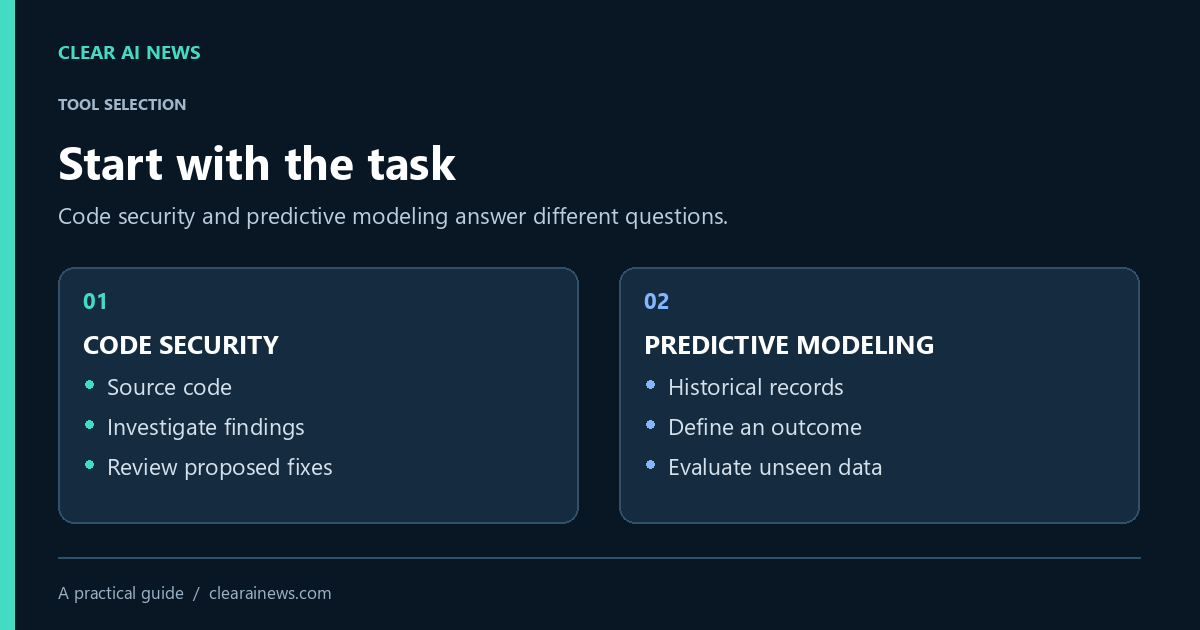
A documentation-based guide to choosing between application-code security and predictive-model development, with a fictional example and a practical evaluation checklist.
Choosing an AI development tool starts with the problem you need to solve. A team looking for security weaknesses in application code needs a different workflow from a team building a predictive model from business records. Putting both products in one ranked list can hide that distinction.
This guide compares two specific capabilities: DeepCode AI within Snyk’s security platform, and AutoML in H2O-3. It is a documentation-based comparison, not a hands-on performance test. Product descriptions were checked on October 16, 2026. No accuracy ranking, measured time saving or customer experience is claimed here.
Snyk describes DeepCode AI as technology powering its application security platform, including code analysis and suggested fixes. That makes its relevant question: what security problems might exist in this code, and how should a developer investigate or address them? A suggested fix still needs review in the context of the application.
H2O’s AutoML documentation describes a workflow for training and comparing machine-learning models. You provide training data and a target column, then control the run with limits such as time or model count. Its leaderboard helps compare candidates under the selected evaluation setup. This is a model-development task, not a substitute for reviewing application security.
| Decision | Code security workflow | Predictive modeling workflow |
|---|---|---|
| Starting material | Application source code | A dataset with a defined prediction target |
| Question to investigate | Does a finding represent a security weakness in this application? | Does a model predict useful outcomes on data it has not learned from? |
| Human review | Review the finding, proposed change and regression results | Review the target, data split, errors and operating consequences |
| Evidence to retain | Code revision, finding, decision and checks | Dataset version, experiment settings and held-out results |
Imagine a small business with a booking application and a history of service appointments. These are illustrative tasks, not results from a real deployment.
The application team wants to investigate insecure handling of user input. A code-security workflow is relevant because the object under review is the software. The team should work in a separate branch, inspect each finding, understand the suggested change and run its existing checks before merging. A clean scan alone would not prove that authentication, authorization or business logic is correct.
The operations team wants to estimate whether an appointment will overrun its allocated time. A predictive-model workflow is relevant because the question concerns a measurable outcome in historical records. Before training, the team must decide what “overrun” means and which information would actually be available when making a new estimate. Including a field completed after the appointment could produce an impressive but unusable result.
For a code-security trial, choose a small repository that the team is permitted to analyze. Record the supported language and integration requirements, who can see findings, what happens to submitted code and which changes require review. Judge the trial by whether findings can be investigated and resolved reliably in that workflow. Do not treat a vendor’s benchmark as your own measured outcome.
For a modeling trial, write down the prediction target, baseline and consequences of mistakes. A simple baseline might be the historical average for comparable appointments. Decide in advance which error measure matters and what level of improvement would justify maintaining a model. Reserve appropriate unseen data for the final assessment; repeatedly choosing models against that same final set weakens its value as an independent check.
Before purchasing or enabling a cloud integration, check the current plan terms, usage limits, access permissions and data-handling agreement. This guide does not quote subscription prices because they can vary with plan and contract. A tool that is inexpensive to obtain can still require substantial engineering time to configure, review and maintain.
For model development, include the cost of preparing data and monitoring predictions after deployment. For code security, include the time needed to triage findings and review fixes. Ask who will own each recurring task. If no one can explain what happens when the tool produces an uncertain result, the workflow needs more design before rollout.
Use a short record with six fields: the problem, the permitted input, the expected output, the acceptance criteria, the reviewer and the rollback method. Add the exact product and version or plan being evaluated. Save representative failures as well as successful examples. This makes the eventual decision reviewable without turning a small trial into a claim of universal superiority.
Choose the code-security route when your immediate task is investigating application code. Choose the predictive-model route when you have a defined outcome and suitable data. If your real need is drafting articles or generating artwork, neither of these particular workflows answers that need.
For background, see our AI glossary and editorial standards. Product facts above come from the linked vendor documentation; the fictional example and evaluation checklist are editorial guidance.
The tools, tutorials, and trends that actually pay — no hype.


The tools, tutorials, and trends that actually pay — no hype.