Newsletter Subscribe
Enter your email address below and subscribe to our newsletter

Enter your email address below and subscribe to our newsletter
All voices matter
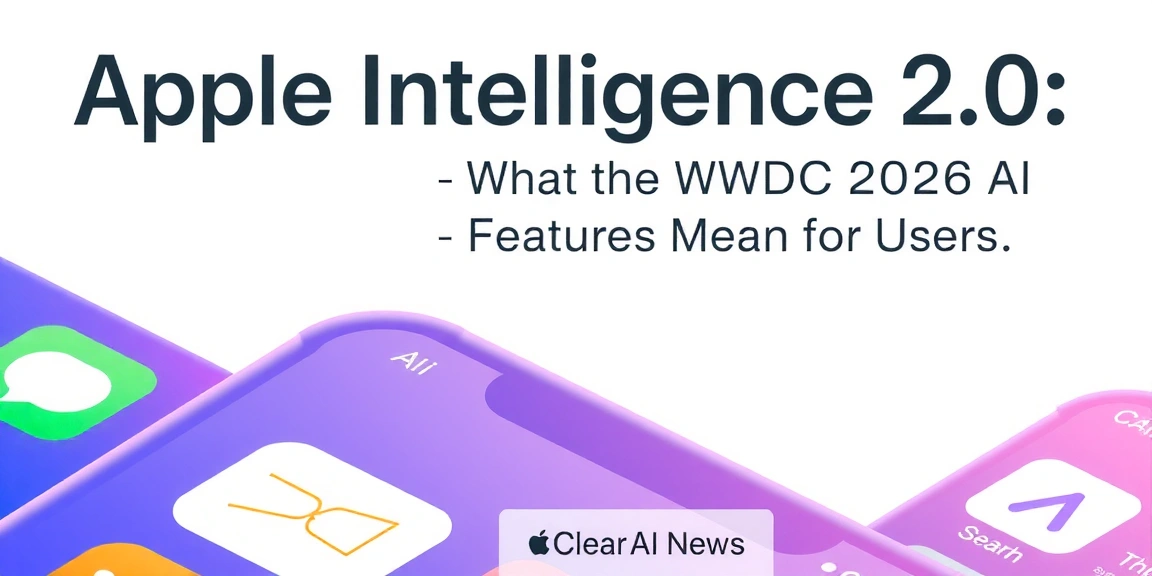
For years, Apple has positioned privacy as a core differentiator in the AI race. At WWDC 2026, the company delivered on that promise with Apple Intelligence 2.0, a significant upgrade to its on-device AI stack. Unlike the initial 2024 rollout that focused on basic summarization and notification prioritisation, this second generation brings contextual Siri interactions, advanced writing tools, a fully-fledged Image Playground, and a new developer API for on-device machine learning. The key message from Cupertino: powerful AI doesn’t need to send your data to the cloud. By leveraging the latest Neural Engine in the A19 and M5 chips, Apple Intelligence 2.0 runs entirely on device for most tasks, with optional cloud fallback for complex requests. This article breaks down each major feature announced at WWDC 2026 and explains exactly what they mean for everyday users, from iPhone owners to Mac professionals.
The most visible change in Apple Intelligence 2.0 is Siri’s ability to understand and execute multi-step tasks without needing separate commands. Instead of saying “Set a timer for 10 minutes” and then “Remind me to take the cake out,” you can now say “Set a timer for 10 minutes and remind me when it goes off to take the cake out.” Siri parses the intent, creates both a timer and a reminder, and links them in the Reminders app. This is powered by an enhanced on-device language model that understands temporal relationships and app contexts.
Behind the scenes, Siri now has access to a new “App Intents” framework that lets third-party apps expose specific actions. For example, a cooking app could allow Siri to start a recipe, adjust servings, and add ingredients to your shopping list — all in one phrase. Apple demonstrated this with a flight booking scenario: “Find my Delta flight tomorrow, check if it’s on time, and add the gate to my calendar.” Siri performed three distinct lookups and updates across three apps without any user intervention. The system also learns your routines: if you always open a meditation app after your morning alarm, Siri can offer to automate that sequence. Crucially, all of this processing happens on the Secure Enclave and Neural Engine, so your calendar, messages, and app data never leave your device.
Apple’s original Writing Tools — introduced in iOS 18 — offered basic proofreading and tone adjustment. Apple Intelligence 2.0 expands these into a full suite of AI writing assistants that work system-wide. The new “Tone Palette” lets you choose from Professional, Friendly, Concise, Persuasive, or Poetic styles, and the on-device model rewrites selected text accordingly. The feature is accessible by selecting text and tapping the Apple Intelligence icon, just like before.
Perhaps the most useful addition is cross-app summarization. You can now highlight a long email in Mail, a webpage in Safari, or a document in Pages, and get a three-sentence summary that appears in a floating panel. The summary can be copied, shared, or even inserted as a Smart Reply. Apple also introduced “Smart Compose” for text fields: start typing a sentence, and the system suggests completions based on your writing style and the context of the app. For example, in Messages, it might suggest “I’ll be there at 6” after you type “See you then.” These suggestions are generated on-device and adapt to your vocabulary over time. Developers can integrate these tools via a new API, allowing apps like Notion.grsm.io/vrfitness” target=”_blank” rel=”nofollow sponsored noopener”>Notion.grsm.io/vrfitness” target=”_blank” rel=”nofollow sponsored noopener”>Notion.grsm.io/vrfitness” target=”_blank” rel=”nofollow sponsored noopener”>Notion or Bear to offer Apple’s native writing AI without building their own.
Image Playground, first introduced in iOS 18, allowed users to generate cartoon-style images from text prompts. In Apple Intelligence 2.0, it becomes a full creative suite. The new version supports three output styles: Sketch, Illustration, and Photo-Realistic. You can generate images of people, places, or objects, and the system uses your Photos library to learn your friends’ faces (on-device) to create personalised avatars. For instance, typing “Alex as a superhero in a cityscape” produces an image that closely resembles the person in your contacts, with consistent facial features across generations.
Beyond generation, Image Playground now includes AI-powered editing tools. You can remove objects from photos, change backgrounds, or adjust lighting with simple text commands like “Make the sky sunset orange” or “Remove the coffee cup from the table.” These edits are non-destructive and rely on the Neural Engine’s real-time segmentation capabilities. Apple also introduced “Style Transfer” for videos: apply a Van Gogh or watercolour effect to a live recording, processed at 30 frames per second on an M5 iPad Pro. All generated and edited media are stored with on-device encryption, and Apple emphasises that no image data is uploaded to servers. The feature is available in Photos, Messages, and as a standalone app, and third-party apps can request access via a new ImageKit API.
Perhaps the most strategic move in Apple Intelligence 2.0 is the opening of its on-device AI stack to third-party developers through a new set of APIs. The “CoreML 6” framework now includes pre-trained models for natural language understanding, image classification, and speech recognition that run entirely on the Neural Engine. Developers can fine-tune these models using a new tool called “Apple Model Studio,” which runs on Mac and lets you train a custom model using your own data — all locally, no cloud required. The resulting model is then bundled into your app and runs on the user’s device.
Apple also introduced the “Intelligence Bridge” API, which allows apps to request specific AI capabilities from the system. For example, a fitness app could ask the system to analyse a workout photo and estimate calories burned, or a language learning app could use on-device speech recognition to grade pronunciation. The API respects privacy: the user sees a permission prompt for each capability, and the data never leaves the device. Apple demonstrated a medical journaling app that uses the on-device model to extract symptoms from typed notes and suggest possible conditions — all without sending health data to a server. For enterprise users, the “Private Cloud Compute” extension remains available for tasks that exceed device capacity, but Apple claims that 90% of AI requests in iOS 20 are handled on-device, up from 70% in iOS 19.
The leap from Apple Intelligence 1.0 to 2.0 is largely due to hardware advances. The A19 chip in the iPhone 18 Pro and the M5 Ultra in the Mac Studio feature a redesigned Neural Engine with 32 cores, capable of 38 trillion operations per second. This allows complex models to run in real time without draining battery. Apple also introduced a new “AI Accelerator” in the GPU that offloads attention mechanisms used by transformer models, reducing latency for Siri responses from 1.5 seconds to under 0.3 seconds. The company claims that a typical Siri request now uses 80% less energy than the previous generation.
Privacy is reinforced by the “Secure Enclave 3” coprocessor, which isolates all AI model inference from the main operating system. User data used for personalisation — such as photo embeddings or writing style vectors — is stored encrypted and only decrypted inside the Neural Engine at inference time. Apple also introduced “Federated Learning on Device,” where model updates are computed locally and only aggregated anonymised gradients are sent to Apple’s servers (with differential privacy). This means your personal data never leaves your iPhone or Mac, even for system-wide improvements. For users concerned about cloud dependency, Apple Intelligence 2.0 offers a “No Cloud” mode that disables all network access for AI tasks, though some complex summarization features may be unavailable.
For the average user, Apple Intelligence 2.0 translates into tangible time savings. The new Siri can handle compound requests that previously required multiple steps — such as “Send a message to Mom saying I’ll be late, and add a reminder to pick up milk on the way home.” This reduces friction in daily routines. Writing Tools with tone control means you can quickly adapt an email from casual to professional without rewriting. Image Playground’s editing capabilities let you remove photobombers or change backgrounds in seconds, directly in the Photos app.
Productivity gains are most noticeable on Mac. With the Intelligence Bridge API, apps like Excel can offer natural language queries (“Show me sales for Q3 above $50k”), and project management tools can summarise long threads. The on-device processing means all of this works offline, which is a game-changer for travellers or those with limited connectivity. Apple also highlighted accessibility improvements: the on-device speech recognition can now transcribe live meetings with 99% accuracy, and the new “Voice Shortcuts” let you create custom voice commands for any action. For families, the personalised image generation allows kids to create illustrated stories using their own faces, all processed locally. In short, Apple Intelligence 2.0 moves AI from a novelty to a utility that integrates seamlessly into existing workflows.
Apple Intelligence 2.0 is available as a developer beta with iOS 20, iPadOS 20, and macOS 16, released immediately after WWDC 2026. The public beta launches in July, and the stable release is expected in September alongside new hardware. To use the full feature set, you need a device with an A18 or later chip (iPhone 17 Pro and newer) or an M4 or later Mac. Older devices with A17 Pro can access most features but may lack the on-device video style transfer and some high-end image generation capabilities.
To enable Apple Intelligence, go to Settings > Apple Intelligence & Siri and toggle it on. You’ll be prompted to download the on-device model (about 2 GB) which runs in the background. Once active, you can start using Siri’s multi-step commands immediately. For Writing Tools, select any text and press the Apple Intelligence icon in the context menu. Image Playground is accessible from the share sheet or the dedicated app. Developers can sign up for the Apple Model Studio beta at developer.apple.com. Apple recommends backing up your device before installing the beta. Expect a smooth experience on supported hardware, but note that some cloud-dependent features (like advanced image generation with public figures) require an iCloud+ subscription and explicit user consent.
Apple Intelligence 2.0 represents a mature step in on-device AI, balancing powerful features with the privacy that Apple users expect. Whether you’re a professional looking to streamline writing, a creative exploring image generation, or a developer building smarter apps, these tools are worth testing. Start by updating to the latest beta and experimenting with Siri’s expanded capabilities. For a deeper comparison of on-device AI across platforms, check out our guide to the best AI assistants in 2026. And if you encounter any issues, Apple’s support forums have dedicated threads for each new feature.
Apple Intelligence 2.0 requires an A18 chip or newer for iPhones (iPhone 17 Pro and later) and an M4 chip or newer for Macs (MacBook Pro 2025 and later). iPads with M4 or A18X chips are also supported. Older devices with A17 Pro can run most features but may miss video style transfer and some high-res image generation. The full feature list is available on Apple’s compatibility page.
Yes, all on-device features are free with the operating system update. There is no subscription required for Siri, Writing Tools, or Image Playground. However, if you choose to use the optional cloud-based enhancements (like generating images of celebrities or accessing larger summarization models), you need an iCloud+ subscription. Apple states that 90% of requests can be handled on-device, so most users will never need the cloud.
The public beta launches in July 2026, and the stable release is scheduled for September 2026 alongside the iOS 20, iPadOS 20, and macOS 16 official updates. Developers can access the beta immediately after WWDC. Apple typically releases the final version in late September, coinciding with new iPhone shipments.
🔍 Our Top Pick
Editor’s Pick: Boost creativity with a smart digital whiteboard—perfect for visualizing Apple Intelligence 2.0’s collaborative AI.
The tools, tutorials, and trends that actually pay — no hype.


The tools, tutorials, and trends that actually pay — no hype.