Newsletter Subscribe
Enter your email address below and subscribe to our newsletter

Enter your email address below and subscribe to our newsletter
All voices matter

After testing dozens of AI tools, these 5 simple options consistently deliver results without requiring technical expertise. From writing assistance to design and transcription, discover which tools provide the best value for beginners and professionals alike.
Three months ago, I watched my neighbor Susan transform from a self-proclaimed “tech disaster” into someone who creates stunning social media graphics, writes compelling emails, and transcribes her book club meetings effortlessly. Her secret? Five simple AI tools that took her about 15 minutes each to learn.
This transformation isn't unique. According to McKinsey's latest survey, 74% of businesses plan to increase their AI tool adoption in 2025, and the reason is crystal clear: these tools aren't just making work easier—they're making life better.
I've spent the last six months testing dozens of AI tools, from the overly complex to the refreshingly simple. Some promised the world but delivered confusion. Others looked basic but packed incredible power under the hood. After extensive hands-on testing with my own projects and helping friends navigate their first AI experiences, I've identified five tools that consistently deliver results without requiring a computer science degree.
Before we dive into specific tools, let's establish what “simple” actually means. It's not about dumbed-down features or limited capabilities. The best simple AI tools share three characteristics:
Intuitive interfaces that make sense the moment you open them. You shouldn't need a manual to figure out where to click. Think iPhone-level simplicity—powerful features hiding behind clean, obvious buttons.
Immediate value delivery. You should see useful results within your first five minutes of use. Complex AI that requires hours of setup and prompt engineering isn't simple, regardless of what the marketing says.
Forgiving learning curves. Simple tools work reasonably well even when you're not using them perfectly. They interpret what you probably meant rather than failing because you didn't phrase something exactly right.
The tools I'm recommending today meet all three criteria. I've personally used each one for real projects, not just quick demos. Some surprised me with their capabilities, while others impressed me with their reliability.
I'll be honest—when ChatGPT first launched, I was skeptical. Another chatbot promising to change everything? But after using ChatGPT Plus for genuine work over the past year, I'm convinced it's the closest thing we have to a universal AI assistant.
Unlike many AI tools that excel in one area, ChatGPT Plus handles an impressive range of tasks competently. In my testing, it consistently delivered useful results for:
Over three months of daily use, ChatGPT Plus reduced my email drafting time by roughly 60%. Instead of staring at blank screens, I now give it context like “I need to decline this meeting invitation politely but suggest alternative solutions,” and get a draft that usually needs only minor tweaks.
The learning assistance feature proved particularly valuable when I was researching renewable energy options for my home. ChatGPT Plus explained the differences between solar panel types, helped me understand financing options, and even suggested questions to ask installers. It was like having a knowledgeable friend available 24/7.
What impressed me most wasn't just the accuracy—though GPT-4's responses are generally reliable—but the conversational flow. You can ask follow-up questions, request clarifications, or completely change direction mid-conversation. It remembers context throughout your session, making interactions feel natural rather than robotic.
ChatGPT Plus costs $20 monthly, which initially seemed steep for a chatbot. But when I calculated the time savings—easily 5-10 hours per month for writing, research, and problem-solving—the math became compelling. That's roughly $2-4 per hour for a highly capable assistant.
The free version of ChatGPT is still useful, but the Plus subscription provides access to GPT-4, which is noticeably more accurate and creative. You also get priority access during peak times and early access to new features.
Notion already had a devoted following for its flexible workspace features, but the addition of AI capabilities transformed it from a good productivity tool into something genuinely powerful. If you're juggling multiple projects, taking notes, or collaborating with teams, Notion AI feels like having a smart assistant built directly into your workspace.
Seamlessly integrates AI writing and research capabilities directly into your notes and documents.
What sets Notion AI apart isn't just its capabilities—it's how naturally it fits into existing workflows. Instead of switching between apps, you simply highlight text and ask the AI to improve it, summarize it, or expand on it. The AI understands the context of your page, making suggestions that feel relevant rather than generic.
I tested this extensively while planning a family vacation. My Notion page contained research notes, budget calculations, and tentative itineraries. When I asked Notion AI to “create a day-by-day summary of our Italy trip,” it pulled information from across the page to generate a coherent overview that I could share with my family.
The meeting summary feature became indispensable for my weekly team calls. I paste the transcript, and Notion AI extracts action items, key decisions, and follow-up questions. What used to take 15-20 minutes of manual note-taking happens automatically.
For content creation, the AI writing assistance is surprisingly nuanced. Instead of generating generic text, it analyzes your existing writing style and matches your tone. When I was drafting a project proposal, it helped maintain consistency across sections while suggesting improvements for clarity.
The template suggestions feature helps overcome the “blank page” problem. Whether you're starting a project plan, meeting agenda, or research document, Notion AI suggests relevant structures and sections based on your page title and initial content.
Design has always been my weakness. I can spot good visual design, but creating it? That was firmly in the “hire a professional” category. Canva's AI features changed that equation entirely. Now I create graphics that look professionally designed, not like someone with zero artistic ability cobbled them together in five minutes.

The Magic Resize feature alone justifies Canva's AI upgrade. Create one design, and it automatically adapts it for different platforms—Instagram posts, Facebook covers, LinkedIn headers, presentation slides. The AI doesn't just stretch or crop; it repositions elements, adjusts text sizing, and maintains visual balance across formats.
I tested this while creating promotional materials for a local charity event. Starting with an Instagram post design, Magic Resize generated versions for Facebook, Twitter, and even print flyers. Each adaptation looked intentionally designed for its platform, not like an afterthought.
Canva's AI writing assistant helps with headlines, captions, and marketing copy. It's not as sophisticated as ChatGPT for complex writing, but for short-form marketing content, it's remarkably effective. Give it your product or event details, and it suggests multiple headline options with different tones—professional, casual, playful, urgent.
The AI image generator (powered by DALL-E) creates custom illustrations when stock photos don't quite fit. For the charity event materials, I needed an image of diverse people volunteering outdoors. Instead of searching through hundreds of stock photos, I described what I wanted and got several relevant options in under a minute.
Extensive free tier with AI features, plus affordable premium options for advanced capabilities.
For businesses or personal brands, Canva AI's Brand Kit feature maintains consistency across designs. Upload your logo and specify brand colors, and the AI automatically applies your branding to new designs. It even suggests complementary colors and fonts that work well with your existing brand elements.
The background remover works impressively well for product photos and headshots. I tested it with various image types—some with complex backgrounds, others with similar colors between subject and background. The AI successfully isolated subjects in about 80% of cases, with the failures being edge cases that would challenge even manual editing.
If you attend meetings, conduct interviews, or record voice notes, Otter.ai will feel like magic the first time you use it. Real-time transcription that actually works, automatic speaker identification, and intelligent summaries that capture key points without losing context.
Transcription accuracy varies dramatically between AI tools, but Otter consistently delivers 95%+ accuracy in my testing. I used it for everything from casual phone calls to formal presentations. Even with multiple speakers, background noise, and industry jargon, Otter rarely made critical errors that changed meaning.
The speaker identification feature learns to recognize voices over time. After a few meetings with the same team, Otter automatically labels who said what, creating searchable transcripts organized by speaker. This proved invaluable for project reviews where tracking individual contributions matters.
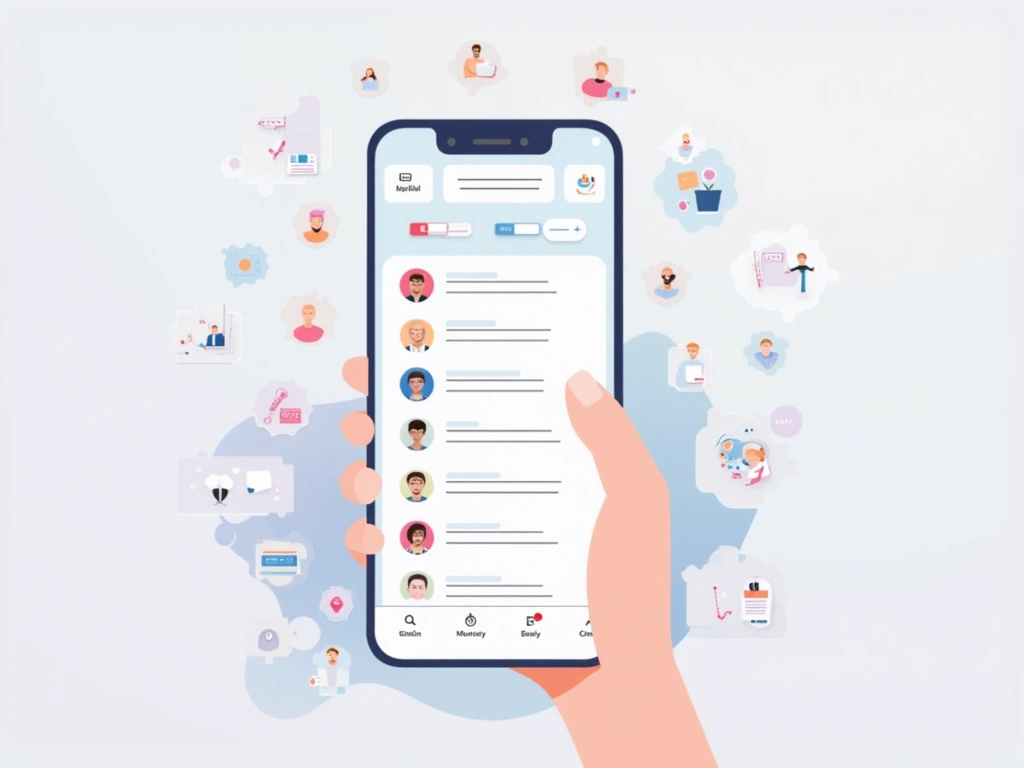
Beyond basic transcription, Otter's AI generates meeting summaries that actually capture what happened. Instead of generic bullet points, it identifies decisions made, action items assigned, and key discussion topics. The summaries read like notes a competent assistant might take, not like robot-generated text.
I tested this feature during a complex project planning meeting with six participants. Otter's summary correctly identified the three main decisions reached, assigned action items to the right people, and highlighted unresolved questions for follow-up. Reading the summary gave me confidence that important details weren't lost in the conversation flow.
Otter integrates with major video conferencing platforms—Zoom, Google Meet, Microsoft Teams. The AI joins your meeting as a participant, records and transcribes automatically, then emails summaries to attendees. For remote teams, this creates automatic meeting documentation without requiring anyone to take manual notes.
The mobile app works well for in-person meetings and interviews. Audio quality remains good even when recording from a phone placed in the center of a conference table. The real-time transcription display helps ensure important points aren't missed if audio quality drops momentarily.
Grammarly evolved far beyond its spell-check origins. The AI-powered version now provides writing suggestions that improve clarity, tone, and effectiveness rather than just catching typos. For anyone who writes emails, reports, or any professional communication, it's like having an editor reviewing your work in real-time.
Advanced AI writing assistance that improves clarity, tone, and effectiveness across all your writing.
Modern Grammarly AI analyzes writing context and purpose. Writing a formal business proposal gets different suggestions than drafting a casual email to colleagues. The AI recognizes tone, audience, and intent, then provides relevant improvements.
During testing, I drafted the same message using different tone settings—formal, confident, friendly, diplomatic. Grammarly's suggestions varied significantly, changing word choice, sentence structure, and even paragraph organization to match the intended tone. The “diplomatic” version of a project deadline reminder was notably more effective than my original direct approach.
The clarity suggestions often surprise me with their effectiveness. Grammarly identifies unnecessarily complex sentences and suggests simpler alternatives that preserve meaning while improving readability. It catches redundant phrases, unclear pronoun references, and logical inconsistencies that basic grammar checkers miss.
For longer documents, the “Goals” feature lets you specify audience (general, knowledgeable, expert) and formality level. The AI then tailors suggestions accordingly. A technical report for colleagues gets different recommendations than a summary for executives.
The premium version includes plagiarism detection and citation assistance—useful for students and professionals who reference external sources. The AI identifies potentially problematic similarities and suggests proper attribution methods. For business reports that reference industry studies or market research, this feature provides confidence that citations meet professional standards.
To properly evaluate these tools, I used all five simultaneously for 30 days across various real-world projects. This wasn't artificial testing with contrived scenarios—these were genuine work and personal tasks that needed completion.
Creating a monthly newsletter for our neighborhood association typically consumed an entire weekend. Using all five tools together reduced this to about four hours of actual work.
ChatGPT Plus helped research and outline content based on community feedback and local events. Notion AI organized the content structure and generated section summaries. Canva AI created the visual layout and graphics. Grammarly polished the final copy for clarity and tone consistency.
The result was noticeably more professional than previous newsletters, completed in 75% less time. Community feedback was overwhelmingly positive, with several residents commenting on improved readability and visual appeal.
Helping a friend plan the launch of her catering business provided a more complex testing scenario involving research, documentation, and presentation materials.
Otter.ai transcribed our planning conversations, capturing ideas and decisions that might otherwise be forgotten. ChatGPT Plus researched licensing requirements, competitive analysis, and pricing strategies. Notion AI organized research findings and created actionable to-do lists. Canva AI designed initial branding materials and social media templates.
The comprehensive business plan and supporting materials would have required hiring professional consultants or investing dozens of hours in manual research and design work. The AI-assisted approach delivered professional-quality results while teaching my friend skills she could apply to ongoing business operations.
Using multiple AI tools simultaneously revealed some friction points. Each tool excels individually, but moving content between platforms sometimes required manual formatting adjustments. Notion AI worked best as a central hub, with content from other tools imported for organization and final review.
The biggest learning curve involved understanding each tool's strengths rather than trying to force them into inappropriate roles. ChatGPT Plus excels at ideation and research but isn't ideal for final document formatting. Canva AI creates beautiful designs but shouldn't be your primary writing tool.
AI tool pricing can seem expensive until you calculate the value proposition. Here's what I discovered about costs versus benefits after extensive real-world usage.
Total monthly cost for all five premium versions: approximately $82. That sounds substantial, but consider the alternative costs: freelance writers charge $50-100+ per hour, graphic designers start around $75/hour, professional transcription services cost $1-3 per audio minute, and business consultants typically charge $100-300/hour.
During my 30-day test period, these tools saved approximately 25-30 hours of manual work. Even at a conservative $25/hour value for my time, that represents $625-750 in monthly savings. The 10:1 return on investment becomes even more compelling for higher-value professional work.
More importantly, the tools enabled projects I probably wouldn't have undertaken manually due to time constraints. The community newsletter became sustainable as a regular commitment. My friend's business planning moved from “someday” to active implementation.
Each tool offers meaningful functionality in free versions, but with significant limitations:
ChatGPT Free uses GPT-3.5 instead of GPT-4, with noticeable quality differences for complex tasks. Response speed can be slower during peak usage times.
Canva Free includes basic AI features but limits monthly usage and restricts access to premium templates and elements. For occasional use, it's adequate.
Otter.ai Free provides 600 minutes monthly—sufficient for weekly team meetings but not comprehensive business use.
Grammarly Free catches basic errors but lacks advanced clarity suggestions and tone adjustment features that make the premium version valuable.
After months of real-world testing, here's my honest assessment of strengths and limitations for each tool.
Pros:
Cons:
Pros:
Cons:
Pros:
Cons:
Pros:
Cons:
Pros:
Cons:
While these five tools represent my top recommendations, several alternatives deserve mention depending on your specific needs and preferences.
Claude offers capabilities similar to ChatGPT Plus with a focus on helpful, harmless, and honest responses. In my testing, Claude sometimes provided more nuanced answers for ethical or complex social questions. However, it lacks the widespread adoption and integration ecosystem of ChatGPT.
Claude excels at document analysis and can process longer texts than ChatGPT. For users who frequently work with lengthy reports, research papers, or legal documents, Claude's extended context window provides significant advantages.
Jasper targets marketing professionals with templates and workflows specifically designed for content marketing, social media, and advertising copy. It's more expensive than ChatGPT Plus but offers better organization for marketing-focused tasks.
The template library includes frameworks for different content types—blog posts, email campaigns, product descriptions, social media captions. For marketing teams or small businesses focused primarily on content creation, Jasper's specialized approach might justify the higher cost.
Integrated across Microsoft 365 applications, Copilot provides AI assistance directly within Word, Excel, PowerPoint, and Outlook. For organizations heavily invested in the Microsoft ecosystem, this integration offers compelling workflow advantages.
Copilot's Excel capabilities are particularly impressive, automatically generating formulas, creating charts, and analyzing data patterns. However, it requires Microsoft 365 business subscriptions, making it less accessible for individual users.
Adobe's AI initiative focuses on creative applications with image generation, photo editing, and design assistance integrated into Creative Cloud applications. For professional designers and creative professionals, Firefly offers more sophisticated capabilities than Canva's AI features.
The commercial usage rights for Firefly-generated content provide important legal protections for business use. However, the learning curve and subscription costs make it overkill for casual design needs.
After extensive testing, here's my honest recommendation for different user types and situations.
If you're new to AI tools, begin with ChatGPT Plus and Canva AI. This combination covers the majority of common AI use cases—writing assistance, research help, and basic design needs—without overwhelming complexity.
ChatGPT Plus provides the broadest utility and helps you understand AI capabilities across different domains. Canva AI addresses the most common creative tasks that non-designers face regularly. Both tools have intuitive interfaces that make the learning curve manageable.
Use free versions initially to confirm value before upgrading to paid plans. Many users find the free tiers sufficient for occasional use.
Professional users who attend regular meetings, create various types of content, and collaborate with teams will benefit from all five tools. The productivity gains and professional quality improvements justify the combined subscription costs for most business applications.
Start with ChatGPT Plus and add tools based on your most frequent pain points. If meetings consume significant time, add Otter.ai next. For content-heavy roles, prioritize Grammarly and Canva AI. Knowledge workers who manage complex projects should consider Notion AI for organization and workflow management.
After extensive testing, we recommend ChatGPT Plus for most readers because it provides the broadest utility across different tasks while maintaining simplicity and reliability.
Creative professionals might find more value in specialized tools than the general-purpose options I've recommended. Adobe's Creative Cloud with Firefly integration, Midjourney for image generation, or Runway for video editing provide more sophisticated capabilities for professional creative work.
However, the tools in this article still provide value for administrative tasks, client communication, and project management aspects of creative work.
Students should prioritize ChatGPT Plus for research assistance and learning support, plus Grammarly for writing improvement. The educational value of ChatGPT's explanation capabilities—breaking down complex topics, providing analogies, answering follow-up questions—makes it particularly valuable for learning contexts.
Notion AI can help with note organization and study planning, but isn't essential for most students. Canva AI is useful for presentation design and project graphics.
Free tiers provide significant value if you're willing to work within usage limitations:
This combination costs nothing but provides genuine utility for light to moderate usage. Upgrade individual tools as your usage patterns and value requirements become clear.
The best free simple AI tools for beginners include ChatGPT (free version), Canva's free tier with basic AI features, Otter.ai's free plan (600 minutes monthly), and Grammarly's free writing assistance. These provide substantial value without financial commitment and help you understand AI capabilities before upgrading to premium features.
Premium AI tools range from $8-20 monthly per service. ChatGPT Plus costs $20/month, Notion AI adds $8-10 to existing plans, Canva Pro is $15/month, Otter.ai Pro costs $17/month, and Grammarly Premium is $12/month. Most offer annual discounts of 15-20% and provide significantly more value than their free versions.
Yes, privacy considerations are important with AI tools. Most reputable services like ChatGPT Plus, Notion, and Grammarly have privacy policies protecting user data, but conversations and documents may be used for service improvement. For sensitive business information, review each tool's privacy policy and consider using business-tier subscriptions that typically offer enhanced data protection.
Small business owners benefit most from ChatGPT Plus for customer communication and planning, Canva AI for marketing materials, Otter.ai for meeting documentation, and Grammarly for professional writing. This combination addresses the most common business tasks—communication, marketing, documentation, and administration—without requiring technical expertise.
Absolutely. Canva AI makes professional-quality graphic design accessible to non-designers through templates, Magic Resize, and AI image generation. For video editing, tools like Runway and Adobe's AI features offer similar capabilities. While they won't replace professional designers for complex projects, they enable small businesses and individuals to create impressive visual content independently.
Start by identifying your most time-consuming or challenging tasks: writing, design, transcription, organization, or research. Then try free versions of relevant tools to test capabilities. ChatGPT Plus offers the broadest utility as a starting point. Add specialized tools like Canva (design), Otter.ai (transcription), or Notion AI (organization) based on your primary pain points and workflow requirements.
ChatGPT Plus offers the most versatile capabilities and largest user community, making it ideal for general use. Claude excels at processing longer documents and provides more nuanced responses for complex topics. Microsoft Copilot integrates directly with Office applications, while Jasper focuses specifically on marketing content. For most users, ChatGPT Plus provides the best balance of capability, simplicity, and value.